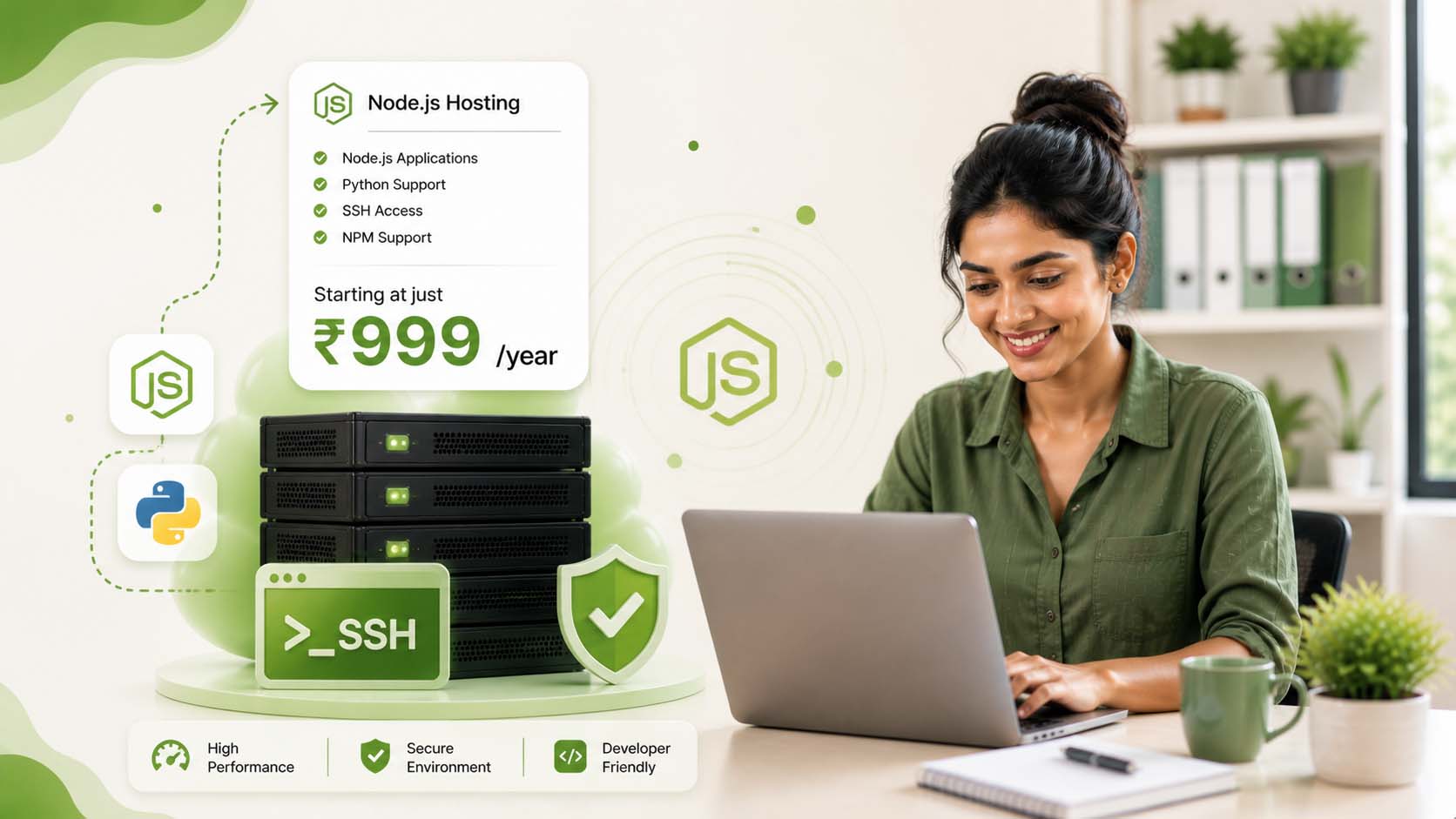
HostPeppy offers affordable & cheap Node.js hosting in India with SSH access, cPanel, and SSL. Deploy, manage, and scale your Node.js applications easily without complex setup.
 Deploy Node.js Applications
SSH Access & Terminal Control
cPanel with Node.js Manager
Multiple Node.js Versions
Deploy Node.js Applications
SSH Access & Terminal Control
cPanel with Node.js Manager
Multiple Node.js Versions
Buy the cheapest Node.js hosting plans built for developers with SSH access, NVMe SSD, extra RAM, CPU & LiteSpeed for optimal Node.js performance.
RENEW @ Rs 2500/ YEAR
RENEW @ Rs 3000/ YEAR
RENEW @ Rs 3500/ YEAR
RENEW @ Rs 4000/ YEAR
Switching Node.js hosting doesn’t have to be complicated. Our team takes care of the entire migration — from files and dependencies to environment setup — so your application runs smoothly on our servers.
Share your current server access details such as SSH credentials, cPanel login, or repository link. We only use this information to securely transfer your application.
We move your application files, install dependencies, configure environment variables, and set up your Node.js app with the correct version and startup file.
After testing the deployment, we connect your domain and make your application live. Your users experience a seamless transition without downtime.
You're not alone. 8 out of 10 developers deal with these frustrating server errors every single month. The real culprit? Weak hosting infrastructure not built for modern apps.
We don't just host your app — we optimize, secure, and supercharge it. Our developer-first hosting eliminates every error before it happens.
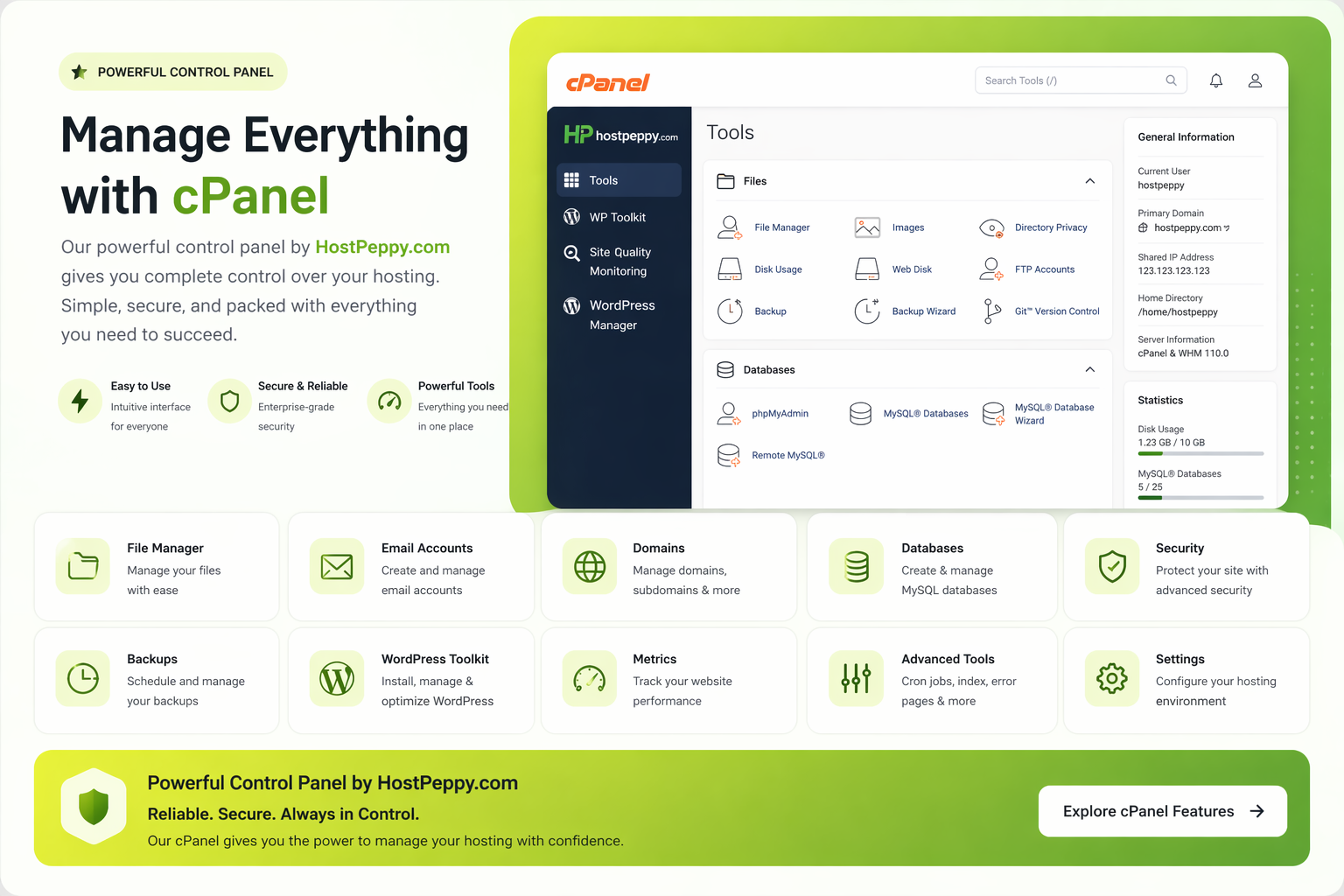
Take control of your hosting with cPanel. From managing files and databases to configuring your Node.js applications, everything is accessible through a clean and structured interface — with no unnecessary complexity.
Simple and clear answers to help you understand nodejs web hosting plans before choosing the right one.
Node.js hosting is a type of web hosting environment specifically designed to run applications built using Node.js, a JavaScript runtime that allows developers to execute server-side code efficiently. Unlike traditional hosting that focuses mainly on PHP-based applications, Node.js hosting supports asynchronous execution, event-driven architecture, and real-time applications.
With Node.js hosting, you can deploy web applications, APIs, microservices, and real-time tools such as chat apps or dashboards. The hosting environment provides access to necessary tools like SSH, terminal commands, and application managers so you can control how your app runs.
In a typical setup, you upload your project files, install dependencies using package managers, define your startup file, and launch your application. Many hosting platforms also provide Node.js app managers inside cPanel, allowing you to start, stop, or restart applications without manually handling processes.
Cheap Node.js hosting in India does not mean limited functionality. Modern providers offer optimized environments with SSD storage, multiple Node.js versions, and easy deployment tools. This ensures developers can build and run applications smoothly without worrying about infrastructure complexity.
In simple terms, Node.js hosting gives developers a flexible and scalable environment where they can build, deploy, and manage applications using JavaScript on both frontend and backend.
Choosing the right Node.js version depends on your application requirements, dependencies, and stability needs. Most developers prefer using LTS (Long Term Support) versions because they are stable, well-tested, and receive regular security updates.
If your project is built using modern frameworks or libraries, it is usually recommended to use the latest LTS version available. This ensures compatibility and better performance. However, older applications may require specific versions to function correctly, especially if they depend on legacy packages.
Good Node.js hosting providers allow you to switch between multiple Node.js versions easily. This flexibility is important because it lets you test your application across different environments and upgrade when needed without major disruptions.
Cheap Node.js hosting India plans often include support for multiple versions, making it easier for developers to manage projects without restrictions. You can define your runtime environment, set your startup file, and control how your app executes.
In general, if you are starting a new project, always go with the latest stable LTS version. If you are migrating an existing application, match the version used in your current setup to avoid compatibility issues.
Yes, Node.js can run on shared hosting platforms, but only if the hosting provider has specifically enabled support for it. Traditional shared hosting environments were primarily designed for PHP applications, but modern hosting providers now offer Node.js compatibility within shared environments.
In such setups, you usually get access to a Node.js application manager through cPanel, along with SSH access for command-line operations. This allows you to deploy and manage applications without needing a VPS or dedicated server.
Cheap Node.js hosting in India often uses shared infrastructure but still provides essential developer tools like version selection, environment configuration, and process management. This makes it a good starting point for small to medium-sized projects.
However, shared hosting does have limitations. Since resources are shared among multiple users, performance can vary depending on usage. For lightweight applications or early-stage projects, this setup works well. For high-traffic or resource-intensive applications, upgrading to VPS hosting may be necessary.
In summary, Node.js works on shared hosting if properly supported, making it a cost-effective solution for developers who want to deploy applications without investing in high-end infrastructure.
Setting up a Node.js application depends on your hosting environment and experience level. In most cases, you do not need to handle everything manually because modern hosting platforms provide tools that simplify deployment.
With cPanel-based Node.js hosting, you can use the built-in application manager to create and configure your app. You can define your application root, choose your Node.js version, and set your startup file without complex commands.
For developers who prefer more control, SSH access is available to install dependencies, run scripts, and manage processes directly from the terminal. This flexibility allows both beginners and experienced developers to work comfortably.
Cheap Node.js hosting plans often include pre-configured environments, which means you can upload your files and get started quickly without dealing with server setup.
If you are not comfortable with technical steps, many hosting providers also assist with deployment and migration. This ensures your application runs properly without requiring deep server knowledge.
Overall, while manual setup is possible, it is not required. Most hosting environments are designed to simplify Node.js deployment.
Cheap Node.js hosting does not necessarily mean fewer features or poor performance. The term “cheap” generally refers to pricing, not capability. Many hosting providers optimize their infrastructure to offer affordable plans without compromising essential features.
Modern low cost Node.js hosting plans include SSD storage, SSH access, multiple Node.js versions, and application management tools. These features ensure that developers can build and run applications effectively.
The main difference between cheap and premium hosting usually comes down to resource allocation and scalability. Budget plans are ideal for small to medium applications, while larger projects may require higher-tier solutions.
Hosting providers achieve affordability by optimizing server usage and sharing resources efficiently. As long as the environment is well-managed, performance remains stable for most use cases.
In simple terms, cheap Node.js hosting is designed to provide value. You get all the essential tools needed for development and deployment without paying extra for unused resources.
Yes, Node.js website migration is supported and typically handled by the hosting provider’s technical team. The process involves transferring your application files, installing dependencies, configuring environment variables, and setting up your app to run correctly on the new server.
To begin migration, you may need to provide access details such as SSH credentials, repository links, or hosting panel login. The team uses this information only for transferring your application securely.
The time required for migration depends on the size and complexity of your application. Smaller projects can be moved within a few hours, while larger applications with multiple dependencies may take longer.
During migration, your application is usually tested before going live. This ensures there are no issues with compatibility, performance, or configuration.
Cheap Node.js hosting providers often include free migration as part of their service, making it easier for developers to switch without technical hassle.
Overall, the goal is to ensure a smooth transition with minimal downtime, so your users are not affected during the process.
Our Node.js hosting infrastructure is designed to deliver stable performance for users in India and nearby regions. While exact server locations may vary depending on the plan and setup, the network is optimized to provide low latency and consistent uptime for Indian traffic.
For developers, server location matters because it directly impacts response time and user experience. Hosting closer to your target audience helps reduce latency, which improves loading speed and API response performance.
In addition to physical location, we use optimized routing and modern server hardware to maintain reliability. Even with cheap Node.js hosting in India, the goal is to ensure your application performs smoothly under normal workloads.
If your project targets a global audience, you can still serve users efficiently by combining hosting with CDN services. This allows your application to deliver content faster across different regions without moving your entire infrastructure.
In short, server location is optimized for performance, but overall speed also depends on how your application is built and delivered.
Node.js hosting has gained popularity mainly because it allows developers to use JavaScript for both frontend and backend development. This reduces the need to switch between multiple programming languages and simplifies the overall development workflow.
Another key reason is performance. Node.js uses an event-driven, non-blocking architecture, which makes it highly efficient for handling multiple requests simultaneously. This is especially useful for real-time applications such as chat systems, live dashboards, and APIs.
Developers also prefer Node.js because of its vast ecosystem. With access to thousands of packages through npm, building complex features becomes faster and more manageable.
Cheap Node.js hosting has made this technology even more accessible. You don’t need expensive infrastructure to deploy and test applications anymore. Even budget hosting plans now support Node.js environments with essential tools like SSH and version management.
Overall, Node.js hosting is popular because it combines flexibility, speed, and developer convenience into one ecosystem, making it a strong choice for modern web applications.
We provide cPanel as the primary control panel for managing your Node.js hosting environment. It offers a clean and structured interface where you can handle files, databases, domains, and application settings in one place.
Within cPanel, you also get access to a Node.js application manager. This allows you to create applications, select Node.js versions, define startup files, and control how your app runs without relying entirely on command-line operations.
For developers who prefer working directly with commands, SSH access is also available. This gives you the flexibility to install dependencies, manage processes, and debug applications using the terminal.
Even though cPanel is user-friendly, it does not limit your control. It simply provides an organized way to manage your hosting environment while still allowing advanced configuration when needed.
This combination of visual control and terminal access makes it suitable for both beginners and experienced developers working on Node.js applications.
Yes, Node.js hosting is designed to support scalability as your application grows. Most developers start with a basic hosting plan and upgrade as their traffic and resource requirements increase.
Cheap Node.js hosting is suitable for small to medium projects, including APIs, web apps, and testing environments. As your application begins to handle more users or processes, you can move to higher-tier plans or more powerful hosting solutions.
Scalability is not just about upgrading resources. It also depends on how your application is structured. Efficient code, proper database usage, and caching strategies play a big role in handling growth.
With the right setup, Node.js applications can scale efficiently due to their non-blocking architecture. This allows them to handle multiple connections without significant performance issues.
In short, you can start small and expand gradually without needing to rebuild your entire setup, making Node.js hosting a flexible option for long-term growth.
Monitoring logs is an essential part of managing any Node.js application. Logs help you understand how your app is running, identify errors, and troubleshoot issues quickly.
With Node.js hosting, you can access logs through the control panel or directly via SSH. This allows you to view real-time output, track errors, and monitor application behavior.
Many developers prefer using terminal access because it provides more flexibility. You can run debugging commands, restart processes, and inspect logs in detail.
Some hosting environments also provide basic log management tools within cPanel, making it easier to access logs without navigating through directories manually.
Effective debugging depends on both your hosting setup and your application structure. Proper error handling and logging practices inside your code make troubleshooting much easier.
In simple terms, Node.js hosting gives you enough tools to monitor and debug your application efficiently, whether you prefer graphical interfaces or command-line control.
Choosing the right hosting provider depends on how well it balances performance, flexibility, and ease of use. HostPeppy focuses on providing a developer-friendly environment where Node.js applications can run without unnecessary complications.
With features like SSH access, Node.js version control, cPanel integration, and application management tools, developers get the flexibility to deploy and manage projects efficiently.
Affordable pricing is another factor. Cheap Node.js hosting in India should not mean compromised quality. The goal is to offer a stable and optimized environment while keeping costs reasonable for developers, startups, and small businesses.
HostPeppy also ensures that essential tools like SSL, backups, and basic security measures are included, so you don’t have to manage everything manually.
In simple terms, the focus is on providing a practical hosting solution that supports development, deployment, and growth without unnecessary complexity or hidden limitations.
Yes, most Node.js hosting environments support cron jobs and background tasks. This is useful when your application needs to run scheduled processes such as sending emails, cleaning logs, syncing data, or running periodic scripts.
With cPanel-based hosting, you can configure cron jobs directly from the dashboard. You simply define the command and set the time interval at which it should run. For more control, developers can also use SSH access to manage scripts manually.
Node.js applications often rely on background workers for tasks that should not block the main request flow. Having cron support ensures these processes run independently without affecting user experience.
Even on cheap Node.js hosting plans, basic cron functionality is usually available, which is sufficient for most use cases. As your application grows, you can expand your setup to handle more complex scheduling requirements.
In simple terms, you are not limited to just running a web app — you can automate tasks and manage backend processes effectively.
Yes, Node.js hosting is widely used for building and deploying APIs and backend services. In fact, many developers choose Node.js specifically for backend development because of its speed and ability to handle multiple requests efficiently.
You can create REST APIs, GraphQL endpoints, or microservices and deploy them directly on your hosting environment. Once deployed, these services can be accessed by frontend applications, mobile apps, or external systems.
Cheap Node.js hosting in India provides enough resources for small to medium APIs, including database connectivity, environment configuration, and process management. This makes it suitable for startups, internal tools, and production-ready applications.
Using Node.js for backend services also allows you to maintain consistency across your tech stack, since you can use JavaScript on both frontend and backend.
Overall, Node.js hosting is not limited to websites — it is a complete platform for building scalable backend systems.
Yes, environment variables are supported and are an important part of running Node.js applications. They allow you to store configuration values such as database credentials, API keys, and application settings securely.
Instead of hardcoding sensitive information inside your code, you can define these values at the server level. This improves both security and flexibility, especially when deploying applications across different environments.
In most hosting setups, you can configure environment variables through the Node.js application manager or directly via terminal access using SSH.
Cheap Node.js hosting plans typically support this feature because it is essential for modern application development. Whether you are running a simple app or a complex backend system, environment variables help keep your setup clean and manageable.
In practice, this means you can deploy your application confidently without exposing sensitive data in your codebase.
Yes, Node.js hosting supports database connections, allowing you to build fully functional applications. You can connect your Node.js app to databases like MySQL, MongoDB, or others depending on your project requirements.
Most hosting providers include MySQL support directly through cPanel. For MongoDB or external databases, you can connect using remote database services or cloud-based solutions.
Database integration is essential for storing user data, managing sessions, handling transactions, and powering dynamic applications.
Cheap Node.js hosting plans provide the necessary tools to connect and manage databases without complicated setup. You can configure database connections through environment variables and manage access securely.
In simple terms, your hosting environment supports full-stack development, allowing your Node.js application to interact with databases efficiently.
Yes, your Node.js application is designed to stay online continuously, provided it is properly configured and running on a stable hosting environment. Most hosting providers ensure high uptime so your application remains accessible to users.
However, uptime also depends on how your application is managed. If your app crashes due to errors or misconfiguration, it may need to be restarted. This is where application managers and process monitoring tools become useful.
Cheap Node.js hosting environments usually include basic uptime guarantees along with tools to manage your application lifecycle. You can start, stop, or restart your app whenever needed.
For better stability, developers often implement proper error handling and logging within their applications. This helps prevent unexpected crashes and improves reliability.
In general, your application will remain online as long as it is correctly set up and maintained, and your hosting environment is stable.
Node.js hosting is primarily designed for developers, but beginners can also use it if they are willing to learn basic concepts. Unlike traditional website builders, Node.js requires some understanding of application structure, dependencies, and deployment.
That said, modern hosting platforms make things easier by providing tools like cPanel, Node.js app managers, and guided setup options. These tools reduce the complexity of deploying and managing applications.
Cheap Node.js hosting plans are a good starting point for learners because they provide access to real hosting environments without high costs. This allows beginners to experiment, build projects, and understand how applications run on servers.
While it may take some time to get comfortable, learning Node.js hosting can be valuable for anyone interested in web development. It gives you full control over your application and helps you understand how backend systems work.
In short, it is not limited to experts, but having basic programming knowledge will make the experience much smoother.