
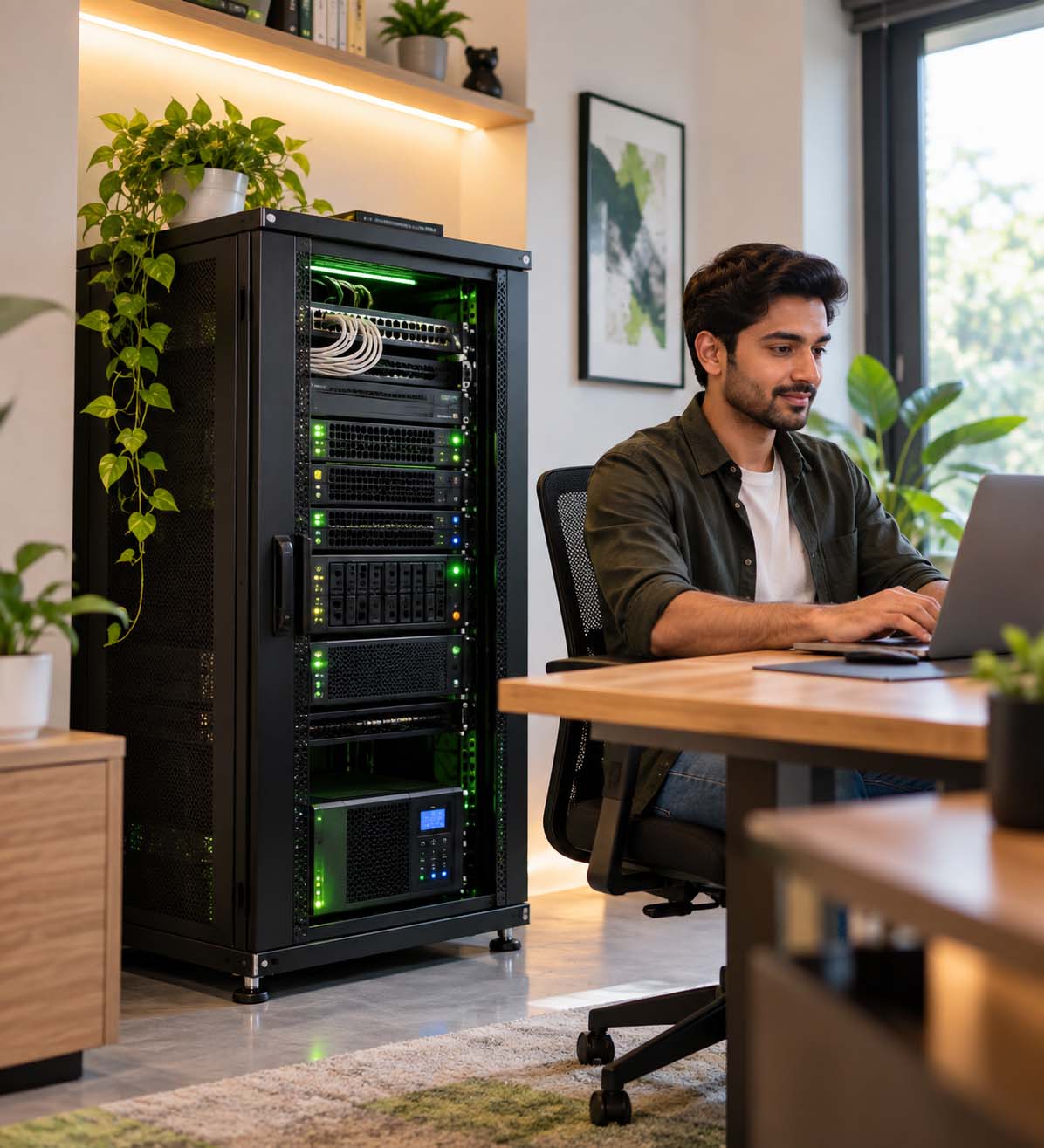
Cheap Dedicated Server Hosting in India (2026): Pricing, Hardware, Data Centers & How to Choose
Looking for a cheap dedicated server in India? You will find plenty of hosting companies promising powerful hardware at surprisingly low prices. The difficult part is not finding a low number on a pricing page. The difficult part is understanding what you are actually getting for that price.
A dedicated server is a serious step up from shared hosting and, in many cases, from a VPS. You get an entire physical server rather than sharing the underlying machine with other customers. That can make a meaningful difference for applications that need predictable CPU, RAM, storage and network resources.
But there is an important catch: the cheapest dedicated server is not always the cheapest server to operate.
A server that looks inexpensive at first can become considerably more expensive after adding a Windows license, control panel, backup, management, additional IP addresses, setup charges or other services. Likewise, a slightly more expensive server can sometimes offer much better value if the hardware and support are better suited to your workload.
That is why we created this guide.
Instead of simply publishing a long list of hosting companies and calling one of them the “best”, we want to show you how to compare dedicated servers in India properly — including the things that are easy to overlook when you are shopping based on price.
We will also explain where HostPeppy fits into that picture, what you can expect from our dedicated-server infrastructure, and why our approach is focused on keeping prices accessible without treating infrastructure and support as an afterthought.
Last reviewed: September 2026
Important: Dedicated server pricing, availability and hardware configurations can change. Always verify the current configuration and billing terms on the provider website before placing an order.
Quick Answer: What Is a Cheap Dedicated Server in India?
A cheap dedicated server is a physical server offered at a relatively low monthly cost while still providing the resources required for your workload.
For most buyers, the important question should not be:
“Who has the lowest price?”
The better question is:
“Which server gives me the hardware, network, support and operating environment I need at the lowest sensible total cost?”
That distinction matters.
A dedicated server can be inexpensive because the provider is using efficient infrastructure, purchasing hardware at scale, optimizing its network and operating costs, or offering a longer billing commitment.
It can also appear inexpensive because important components are excluded from the advertised price.
Before comparing prices, check:
- Exact CPU model and generation
- Number of CPU cores and threads
- RAM capacity and whether it is ECC memory
- SSD or NVMe storage
- RAID configuration
- Bandwidth allowance
- Network port speed
- Dedicated IPv4 addresses
- Linux or Windows operating system
- Control-panel licensing
- Backup options
- Server management
- DDoS protection
- Data-center location
- Setup fees
- Renewal pricing
- Applicable taxes
What Is a Dedicated Server?
A dedicated server is a physical server allocated to one customer.
Unlike shared hosting, where multiple websites operate within the same hosting environment, a dedicated server gives you an entire physical machine.
That means your server resources are not being divided between unrelated customers on the same physical machine in the way they are with traditional shared hosting.
Depending on the provider and configuration, you may have access to:
- Dedicated CPU resources
- Dedicated RAM
- Dedicated storage
- Dedicated IPv4 addresses
- Root or administrator access
- Remote server management tools
- Custom firewall configuration
- Custom software installations
- Virtualization software
- Database servers
- Web servers
- Application servers
This makes dedicated servers particularly useful when a workload has outgrown conventional shared hosting or requires more predictable physical resources.
Why Would Someone Choose a Cheap Dedicated Server?
Not every business needs a large enterprise server costing tens of thousands of rupees per month.
There is a large middle ground between a basic VPS and a high-end enterprise bare-metal system.
For a growing business, agency, developer or application owner, a reasonably priced dedicated server can provide the physical resources needed to run demanding workloads without paying for infrastructure that is far beyond the actual requirement.
Common use cases include:
- High-traffic WordPress websites
- WooCommerce and e-commerce applications
- Large MySQL or MariaDB databases
- ERP and CRM applications
- SaaS applications
- Multiple client websites
- Application hosting
- Game servers
- Virtualization
- Development environments
- Media and file-processing workloads
- Backup servers
- Private infrastructure
Cheap Does Not Have to Mean Low Quality
This is something we believe is worth saying clearly.
A lower price does not automatically mean lower-quality infrastructure.
Hosting companies can operate at different price points because their infrastructure, hardware procurement, network agreements, support models, software costs and business structures are different.
The important thing is transparency.
If a server is inexpensive, the customer should be able to understand why it is inexpensive and exactly what is included.
At HostPeppy, our goal is not to make a dedicated server look cheap by removing everything useful from the package. The goal is to provide practical dedicated infrastructure at a price that makes sense for Indian businesses, developers and growing online projects.
That means looking at the complete package rather than simply advertising a low starting number.
HostPeppy Dedicated Servers: Affordable Infrastructure Without Cutting the Important Corners
HostPeppy offers dedicated physical server configurations designed for businesses, developers, agencies and applications that need more predictable resources than conventional shared hosting or smaller VPS plans can provide.
Our dedicated-server configurations can include:
- Dedicated physical CPU
- Dedicated RAM
- Enterprise-oriented server hardware
- SSD storage configurations
- ECC memory on applicable configurations
- Dedicated IPv4 addresses
- Linux and Windows options
- Full administrative/root access where applicable
- DDoS protection
- RAID options on selected configurations
- Indian data-center infrastructure
- Technical support
Available configurations vary, but our dedicated-server range is designed to cover everything from relatively compact deployments to substantially larger workloads requiring more CPU, RAM and storage.
Current starting prices and exact configurations should always be checked on the HostPeppy dedicated-server page because hardware availability and pricing can change.
View HostPeppy Dedicated Servers
Why HostPeppy Focuses on Value Instead of Just Being the Cheapest
There is a difference between cheap hosting and good-value hosting.
If a server costs less but gives you old hardware, insufficient RAM, slow storage, poor network connectivity or limited support, the saving may disappear very quickly.
On the other hand, buying the most expensive server available is not automatically a good decision either.
Our philosophy is much simpler:
Buy the hardware you actually need, avoid paying for resources you do not need, and make sure the infrastructure behind the server is capable of supporting the workload.
That is particularly important for Indian startups and small businesses that have to balance infrastructure costs against development, marketing, employees and other operating expenses.
What Makes a Dedicated Server “Good Value”?
There are several components that should be considered together.
1. CPU
CPU performance is more complicated than simply counting cores.
Two servers can both have 16 cores while delivering very different real-world performance because of differences in processor generation, architecture, clock speed, cache and workload behavior.
When comparing dedicated servers, look for the exact CPU model whenever possible.
For example, a database-heavy workload may have different requirements from a video-processing workload. A web server handling many lightweight requests may have different requirements from a server performing continuous CPU-intensive calculations.
Do not compare servers using core count alone.
2. RAM
RAM is one of the easiest resources to underestimate.
A server running one small website may require very little memory. A server running multiple applications, databases, containers or virtual machines can require significantly more.
RAM is particularly important for:
- Databases
- Virtualization
- Large WordPress installations
- WooCommerce
- ERP systems
- CRM applications
- Application servers
- Large caching layers
3. ECC RAM
ECC stands for Error-Correcting Code.
ECC memory is designed to detect and correct certain memory errors and is widely used in server environments where memory reliability matters.
If your workload is business-critical or you are building infrastructure intended to operate continuously, it is worth asking whether ECC memory is included.
4. SSD vs NVMe
Storage performance can have a noticeable effect on workloads that perform a lot of input/output operations.
This includes:
- Databases
- Virtual machines
- Search indexes
- Large application installations
- Content management systems
- File processing
NVMe storage uses the PCIe interface and is generally designed for much higher storage performance than traditional SATA-based storage.
However, that does not mean every application needs the fastest NVMe drive available.
If your workload is mostly static content and does not generate heavy disk activity, paying significantly more for storage performance may not provide much practical benefit.
5. RAID
RAID is another area where marketing terminology can sometimes cause confusion.
Different RAID levels provide different combinations of redundancy, capacity and performance.
For example:
- RAID 1: Mirroring between drives
- RAID 5: Distributed parity with redundancy
- RAID 6: Additional parity protection
- RAID 10: A combination of mirroring and striping
The right configuration depends on the workload.
And there is one point every server buyer should remember:
RAID is not a backup.
If a user deletes a database, malware encrypts files, an application corrupts data or an administrator makes a mistake, RAID does not provide the same protection as a separate backup system.
Dedicated Server Pricing in India: Look Beyond the Headline Number
Suppose you see two servers:
| Item | Server A | Server B |
|---|---|---|
| Advertised price | Lower | Slightly higher |
| CPU | Older generation | Newer generation |
| RAM | 32 GB | 64 GB |
| Storage | SATA SSD | NVMe |
| Backup | Additional | Available separately |
| Management | Unmanaged | Support available |
Which one is cheaper?
You cannot answer that from the headline price alone.
If Server A requires upgrades immediately after deployment, the lower starting price may not represent better value.
This is why we recommend calculating the total cost of ownership.
What Is the Total Cost of a Dedicated Server?
A useful way to think about dedicated-server cost is:
Total cost = server + software + backup + management + additional IPs + applicable taxes and other required services.
Potential additional costs include:
- Windows Server licensing
- cPanel or another control panel
- Backup storage
- Managed support
- Additional IPv4 addresses
- Hardware upgrades
- Migration services
- Security services
- Additional storage
- Setup fees
- GST
Always ask for the complete monthly and renewal cost before comparing two providers.
Why Indian Data Center Location Matters
If most of your customers are in India, the physical location of your infrastructure deserves attention.
Network latency is affected by physical distance and routing.
For an application serving customers in India, an Indian server location can reduce the network distance between your users and your application compared with hosting the same workload in a distant international region.
This can be particularly relevant for:
- Indian e-commerce stores
- Indian SaaS products
- Business applications
- Local service businesses
- Educational platforms
- Indian audiences using WordPress
- Applications where response time matters
HostPeppy operates Indian data-center infrastructure across multiple locations, with redundant power, cooling and network connectivity. Our infrastructure information also includes enterprise-oriented storage, server monitoring, security controls and DDoS protection.
Exact server location can depend on the selected configuration, so customers should confirm the available location before ordering.
Data Center Quality Is More Than a “Tier” Number
You will often see hosting companies discussing Tier III or Tier IV data centers.
Tier classification can be useful, but it should not be the only thing you evaluate.
For a dedicated server, also consider:
- Power redundancy
- Cooling redundancy
- Network redundancy
- Carrier connectivity
- Physical security
- Server monitoring
- Hardware replacement procedures
- DDoS mitigation
- Support availability
- SLA terms
A data-center label does not tell you everything about the actual network path, hardware or support experience you will receive.
HostPeppy Infrastructure: Built for More Than Just Low Pricing
Our objective is straightforward: provide hosting infrastructure that is accessible to Indian businesses without treating infrastructure quality as optional.
HostPeppy's published infrastructure information includes:
- Multiple Indian data-center locations
- Redundant power, cooling and network connectivity
- Enterprise-grade NVMe storage on applicable infrastructure
- RAID configurations
- High-performance Intel Xeon and AMD EPYC server hardware
- 24/7 server monitoring
- Hardware and software firewall protection
- Malware and intrusion protection on applicable services
- DDoS mitigation
- Network redundancy
- Automated backup options
Infrastructure is only one part of hosting, though.
The other part is the people supporting it.
Support Matters More Once You Own a Dedicated Server
With shared hosting, a large portion of the technical environment is abstracted away from you.
With a dedicated server, you have significantly more control — but that also means significantly more responsibility.
You may eventually have to deal with:
- Firewall rules
- Operating system updates
- PHP configuration
- Database optimization
- Mail-server issues
- DNS problems
- Security incidents
- High CPU usage
- Disk-space issues
- Application errors
- Server migrations
That is why support should be part of the buying decision.
A very cheap server is not necessarily cheap if every technical issue requires hours of your developer's time.
HostPeppy provides technical support through ticket-based support and WhatsApp assistance, with 24/7 ticket availability.
Managed vs Unmanaged Dedicated Servers
Before buying a dedicated server, understand what “management” actually means.
Unmanaged Dedicated Server
You generally receive the physical server and access credentials, while most server administration remains your responsibility.
This can be suitable for:
- System administrators
- Experienced developers
- DevOps teams
- Hosting companies
- Businesses with internal IT staff
Managed Dedicated Server
A managed environment can provide assistance with some server administration tasks, depending on the provider and support plan.
This can be more appropriate for businesses without dedicated infrastructure staff.
Always ask exactly what “managed” includes. Management can mean different things at different hosting companies.
Linux vs Windows Dedicated Server
The operating system should be selected based on the application, not personal preference.
Linux
Linux is commonly used for:
- WordPress
- PHP applications
- Laravel
- Node.js
- Python applications
- MySQL and MariaDB
- Nginx
- Apache
- Docker
- DevOps workloads
Windows Server
Windows Server can be appropriate for workloads that depend on Microsoft's ecosystem, such as:
- ASP.NET applications
- Windows-specific software
- Microsoft SQL Server workloads
- Remote Desktop-based environments
- Applications requiring Windows Server
When comparing Windows dedicated servers, always check whether the Windows license is included in the quoted price.
Dedicated Server vs VPS: Which One Should You Buy?
This is one of the most common questions we receive.
And the honest answer is: it depends on the workload.
| Requirement | VPS | Dedicated Server |
|---|---|---|
| Lower starting cost | Usually easier | Usually higher |
| Entire physical machine | No | Yes |
| Physical resource isolation | Virtualized resources | Entire machine |
| Large RAM requirements | Depends on plan | Excellent fit |
| Virtualization | Limited by provider | Strong option |
| High sustained CPU workloads | Depends on plan | Strong option |
| Easy scaling | Usually easier | Hardware dependent |
If your application is comfortably running on a VPS, moving to a dedicated server simply because it sounds more powerful may not be necessary.
If you are consistently reaching CPU or memory limits, running multiple virtual machines, hosting large databases or operating several demanding applications, dedicated hardware may make more sense.
How Much RAM Do You Need?
There is no universal RAM number for every dedicated server.
A small application may run comfortably with modest memory, while a server hosting multiple websites and databases can require substantially more.
As a general planning exercise:
| Workload | Typical consideration |
|---|---|
| Small business website | May not require dedicated hardware |
| Multiple WordPress sites | More RAM becomes useful as traffic and plugins increase |
| WooCommerce | RAM and database performance become increasingly important |
| Database-heavy application | Higher RAM can improve caching and database performance |
| Virtualization | RAM requirement grows with the number and size of VMs |
| Large SaaS application | Depends heavily on architecture and workload |
The best approach is to measure your existing workload and leave reasonable headroom instead of choosing RAM based on a generic chart.
Who Should Consider a Cheap Dedicated Server?
A dedicated server can be a sensible option for:
- Growing e-commerce businesses
- Web agencies
- Hosting resellers
- SaaS startups
- Developers running production applications
- Businesses running ERP or CRM software
- Organizations with large databases
- Companies managing many websites
- Businesses that need more physical resources than a VPS provides
Who Probably Does Not Need One Yet?
If you are running a simple portfolio website, a new blog with very little traffic or a basic landing page, a dedicated server may be unnecessary.
There is nothing wrong with starting smaller.
In fact, starting with the smallest sensible infrastructure and upgrading as the workload grows can be a healthier approach for a new business.
That is also why HostPeppy offers hosting and VPS options alongside dedicated infrastructure. The right product depends on where your website or application is today.
How to Compare Dedicated Server Providers in India
When comparing providers, avoid creating a ranking based only on marketing claims.
Instead, build your own comparison using measurable information.
| Factor | What to Check |
|---|---|
| CPU | Exact processor model and generation |
| RAM | Capacity and ECC support |
| Storage | SSD/NVMe, capacity and RAID |
| Bandwidth | Monthly allowance and network policy |
| Port | Network port speed |
| IPv4 | Included and additional IP pricing |
| Location | Actual physical server location |
| Operating system | Linux/Windows and licensing |
| Management | Managed, semi-managed or unmanaged |
| Backup | Included or additional |
| Security | DDoS, firewall and monitoring |
| Support | Availability and support channels |
| Price | Initial and renewal price |
| Tax | GST and invoice requirements |
Should You Compare HostPeppy With Other Providers?
Absolutely — but the comparison should be fair.
There is no benefit in publishing a comparison that simply says one company is good and another company is bad.
Different providers have different hardware, networks, locations, software stacks and pricing models.
For example, when comparing HostPeppy with another Indian dedicated-server provider, the useful questions are:
- What exact CPU does each plan use?
- How much RAM is included?
- Is the RAM ECC?
- What type of storage is included?
- Is RAID available?
- Where is the server located?
- How much bandwidth is included?
- What is the network port speed?
- Are dedicated IP addresses included?
- Is Windows licensing included?
- What happens after the promotional period?
- What support is included?
- Are backups included?
- What does managed support actually cover?
This kind of comparison is more useful to a buyer than making unsupported claims about a competitor's quality or reliability.
HostPeppy vs Other Dedicated Server Providers
HostPeppy is not the only company offering dedicated servers in India, and we do not think customers should choose a server based solely on a brand name.
Providers such as MilesWeb, Net2Secure and other Indian or international hosting companies may have different configurations and pricing models.
For that reason, compare the actual server configuration, not just the company name.
A server with 64 GB RAM and NVMe storage should not be compared with a 16 GB SATA SSD server simply because both products are described as “dedicated hosting”.
Likewise, a Windows server with licensing included is not directly equivalent to a Linux server where the customer must purchase additional software.
Fair comparison means comparing like-for-like specifications.
What About HostPeppy's Price?
Price is one of the reasons customers look at HostPeppy in the first place.
We understand that.
Indian businesses, startups, agencies and developers often have very different infrastructure budgets from large multinational companies.
Our approach is to keep the entry point accessible while still offering server configurations suitable for more demanding workloads.
However, we do not want customers to choose a server simply because it is the cheapest number they can find.
We want them to choose a configuration that actually makes sense for their application.
That is why our dedicated-server offering spans different CPU, RAM and storage combinations rather than forcing every customer into the same oversized configuration.
What Should You Ask Before Ordering a Dedicated Server?
Before paying for a dedicated server, ask these questions.
Hardware
- What exact CPU model will I receive?
- How much RAM is included?
- Is the RAM ECC?
- What type of SSD or NVMe storage is included?
- Is RAID available?
- Can the hardware be upgraded later?
Network
- Where is the server physically located?
- What network port speed is provided?
- Is bandwidth metered?
- What happens if bandwidth limits are exceeded?
- How many IPv4 addresses are included?
Software
- Is Linux included?
- Is Windows Server available?
- Is Windows licensing included?
- Is a control panel included?
- Can I install my own software?
Support
- Is the server managed or unmanaged?
- Is migration support available?
- Is monitoring included?
- Who handles hardware failures?
- What support channels are available?
Pricing
- What is the initial price?
- What is the renewal price?
- Is there a setup fee?
- Are additional IPs charged?
- Is backup extra?
- Is GST included?
Dedicated Server Buying Checklist
Before you place your order, use this checklist:
- ☐ Exact CPU model verified
- ☐ CPU core/thread count verified
- ☐ RAM capacity verified
- ☐ ECC requirement checked
- ☐ Storage type verified
- ☐ Storage capacity verified
- ☐ RAID requirement checked
- ☐ Bandwidth checked
- ☐ Network port speed checked
- ☐ IPv4 requirement checked
- ☐ Physical data-center location confirmed
- ☐ Operating system confirmed
- ☐ Windows licensing checked if required
- ☐ Control-panel cost checked
- ☐ Backup requirement checked
- ☐ Management level understood
- ☐ Support availability confirmed
- ☐ Renewal pricing checked
- ☐ GST and invoicing checked
- ☐ SLA reviewed
Is a Cheap Dedicated Server Good for WordPress?
It can be, particularly when a WordPress website has grown beyond what shared hosting or a smaller VPS can comfortably handle.
However, WordPress performance is not determined by the server alone.
Your theme, plugins, database queries, caching, PHP version, images, CDN configuration and application architecture all matter.
A powerful server cannot compensate for an inefficient application indefinitely.
If your WordPress website is experiencing CPU or memory pressure, a dedicated server may provide additional headroom. But it is still worth optimizing the application before simply throwing more hardware at the problem.
Is a Cheap Dedicated Server Good for WooCommerce?
WooCommerce can be more demanding than a simple informational WordPress website because it may involve dynamic pages, database queries, customer sessions, payment processing, inventory and order management.
For a growing store, the combination of:
- Fast storage
- A capable CPU
- Enough RAM
- Database optimization
- Object caching
- Page caching where appropriate
- Reliable backups
- Good monitoring
can become increasingly important.
Is a Dedicated Server Good for Databases?
Dedicated hardware can be a strong option for database-heavy workloads, but the database architecture matters just as much as the hardware.
For MySQL or MariaDB, factors such as RAM, storage latency, IOPS, CPU performance, indexing, query design and database configuration all affect performance.
If your database is becoming a bottleneck, benchmark the actual workload before deciding which server configuration to purchase.
Is a Dedicated Server Good for SaaS Applications?
It can be.
SaaS applications often have a mixture of application processing, database operations, background jobs, APIs and user traffic.
A dedicated server can provide a predictable physical environment for these workloads.
However, architecture and scalability should still be considered. A single physical server can become a bottleneck if an application grows substantially.
For a growing SaaS company, consider how you will eventually handle:
- Database scaling
- Application scaling
- Load balancing
- Backups
- Disaster recovery
- Monitoring
- Redundancy
What Is the Difference Between Bare Metal and VPS?
“Bare metal” generally refers to a physical server allocated to a customer rather than a virtual machine running on a shared physical host.
A VPS is a virtualized environment.
Both have legitimate use cases.
VPS hosting can be attractive when you want flexibility and a lower starting cost.
Bare-metal hosting becomes more attractive when you need an entire physical machine, large amounts of RAM, high sustained CPU performance or a specific hardware configuration.
Do You Need DDoS Protection?
If your server is publicly accessible on the internet, some form of network security and traffic filtering is worth considering.
DDoS attacks attempt to overwhelm an online service with traffic or requests.
Dedicated-server providers can use different approaches to mitigate malicious traffic.
However, “DDoS protected” is not a universal specification. Protection capacity, filtering methods and mitigation policies differ between providers.
Ask what level of protection is included and what happens during an attack.
Do You Need Backups?
Yes, if the data matters.
Do not assume that RAID, snapshots or server redundancy automatically mean you have a complete backup strategy.
A sensible backup strategy should consider:
- Backup frequency
- Retention period
- Storage location
- Restore testing
- Database consistency
- Off-server copies
- Disaster recovery
HostPeppy provides backup options across its infrastructure, with backup solutions varying by service and plan. Always check the exact backup policy for your selected dedicated-server configuration.
How to Choose the Right Dedicated Server for Your Business
Start with the application.
Do not start with the server price.
Ask yourself:
- What application am I running?
- How many users do I currently have?
- How much CPU does the application use?
- How much RAM does it use?
- How much storage do I need?
- How quickly is the workload growing?
- Where are my users located?
- Do I need Windows?
- Do I need a control panel?
- Do I need managed support?
- What is my backup strategy?
- What happens if the server fails?
Once you answer those questions, choosing the hardware becomes much easier.
Why We Do Not Recommend Choosing a Server Based Only on “Best” Lists
You will find many hosting articles that publish a list of the “10 best” dedicated-server providers.
Those lists can be useful as a starting point, but there is a problem with reducing infrastructure to a single ranking.
A server that is excellent for a developer running Docker containers may not be the right server for a Windows application.
A server that is ideal for a large database may be unnecessary for a simple website.
A server with a very low monthly price may not be the best choice if the required backup, management or software costs are added later.
That is why we recommend comparing actual specifications and total cost.
Your workload should decide the server — not a generic ranking.
Why HostPeppy?
We built HostPeppy around a simple idea: good hosting infrastructure should not be reserved only for companies with large IT budgets.
Our infrastructure is designed for Indian customers and businesses that want reliable hosting without unnecessary complexity.
Our infrastructure offering includes Indian data-center locations, enterprise-oriented server hardware, NVMe storage on applicable systems, monitoring, network redundancy, security controls and DDoS protection.
We also provide support through multiple channels so that customers are not left trying to solve every infrastructure problem alone.
Most importantly, we try to be transparent about what a plan includes.
If something costs extra, customers should know.
If a particular hardware configuration is available only on certain plans, that should be clear.
If a server is unmanaged, customers should understand that before ordering.
That is what we believe good hosting should look like.
Our Approach to Affordable Dedicated Hosting
We do not believe that affordable hosting means removing everything until the price looks impressive.
Instead, the idea is to optimize the infrastructure and give customers choices.
Some customers need a large amount of RAM.
Some need more CPU.
Some need fast NVMe storage.
Some need Windows.
Some need Linux.
Some need management support.
Others already have their own DevOps team and simply want the physical server.
Different customers should not have to pay for the same infrastructure.
That is why configuration flexibility is important.
Before You Buy: One Final Price Check
When you find a dedicated server that looks attractive, write down these numbers:
- Monthly server price
- Renewal price
- GST
- Operating-system license
- Control-panel license
- Backup
- Additional IP addresses
- Management
- Setup fee
Then calculate the actual monthly cost.
This simple exercise can completely change the comparison.
Frequently Asked Questions
What is the cheapest dedicated server in India?
There is no permanent answer because dedicated-server prices, promotions, hardware availability and billing terms change. Instead of choosing the lowest advertised number, compare the complete configuration, renewal cost and included services.
How much does a dedicated server cost in India?
Prices vary widely depending on CPU, RAM, storage, bandwidth, data-center location, operating system, management and other services. Entry-level dedicated servers can be available in the lower-thousands of rupees per month, while high-memory and high-performance configurations can cost considerably more.
Is a dedicated server better than a VPS?
Not universally. A VPS can be a better fit for workloads that need flexibility and a lower starting cost. A dedicated server can make more sense when you need an entire physical machine or significantly more CPU, RAM and storage.
Is cheap dedicated hosting reliable?
Price alone does not determine reliability. Check the hardware, network, data-center infrastructure, redundancy, monitoring, support and SLA before purchasing.
Do dedicated servers include Windows?
Some providers offer Windows Server, while others focus on Linux. Windows licensing can also affect the total price, so check whether the license is included in the advertised price.
Is NVMe necessary for a dedicated server?
Not for every workload. NVMe is particularly useful for applications with significant storage I/O, such as databases, virtualization and some application workloads. For simpler workloads, conventional SSD storage may be sufficient.
Is RAID the same as backup?
No. RAID can provide redundancy depending on the configuration, but it does not replace a separate backup system.
How much RAM should my dedicated server have?
That depends on the workload. Databases, virtualization, SaaS applications and multiple websites can require considerably more RAM than a simple website. Measure your current resource usage whenever possible.
Does HostPeppy offer dedicated servers in India?
Yes. HostPeppy offers dedicated physical server configurations with Indian infrastructure, multiple hardware configurations, Linux and Windows options, dedicated IP options and technical support.
Where are HostPeppy servers located?
HostPeppy operates infrastructure across multiple Indian data-center locations. The exact location can depend on the service and configuration selected, so customers should confirm the available location before ordering.
Does HostPeppy provide DDoS protection?
HostPeppy's infrastructure includes DDoS mitigation capabilities. The exact protection and policies can vary by service, so customers should check the current plan details for the server they are considering.
Final Thoughts: Find the Cheapest Server That Actually Fits Your Workload
There is nothing wrong with wanting a cheap dedicated server.
Every business wants to control infrastructure costs.
The mistake is assuming that the lowest advertised price automatically represents the best value.
A better approach is to look at the complete picture:
CPU + RAM + Storage + Network + Data Center + Security + Support + Backup + Software + Renewal Price.
Once those factors are compared, you can make a much more informed decision.
HostPeppy is built around that idea.
We aim to keep dedicated infrastructure accessible while providing the hardware, Indian data-center infrastructure, security and support that businesses actually need.
If you already know your CPU, RAM, storage and operating-system requirements, you can review the available configurations and choose the server that matches your workload.
If you are not sure what configuration you need, speak with the HostPeppy team before ordering. It is usually better to spend a few minutes understanding your workload than to buy an oversized or undersized server.
Affordable infrastructure is useful. Affordable infrastructure that fits your workload is better.
Explore HostPeppy Dedicated Servers →
Editorial note: Hosting prices, hardware configurations, availability, data-center assignments and included services can change. Product details should be verified on the relevant provider page before purchase. Comparisons in this article are intended to explain how buyers can evaluate dedicated-server offerings fairly and are not intended to make unsupported claims about competing providers.